Skip to content
VScheduler

Features

One place to schedule and publish to every platform you use, with full control over what gets posted.

YouTube

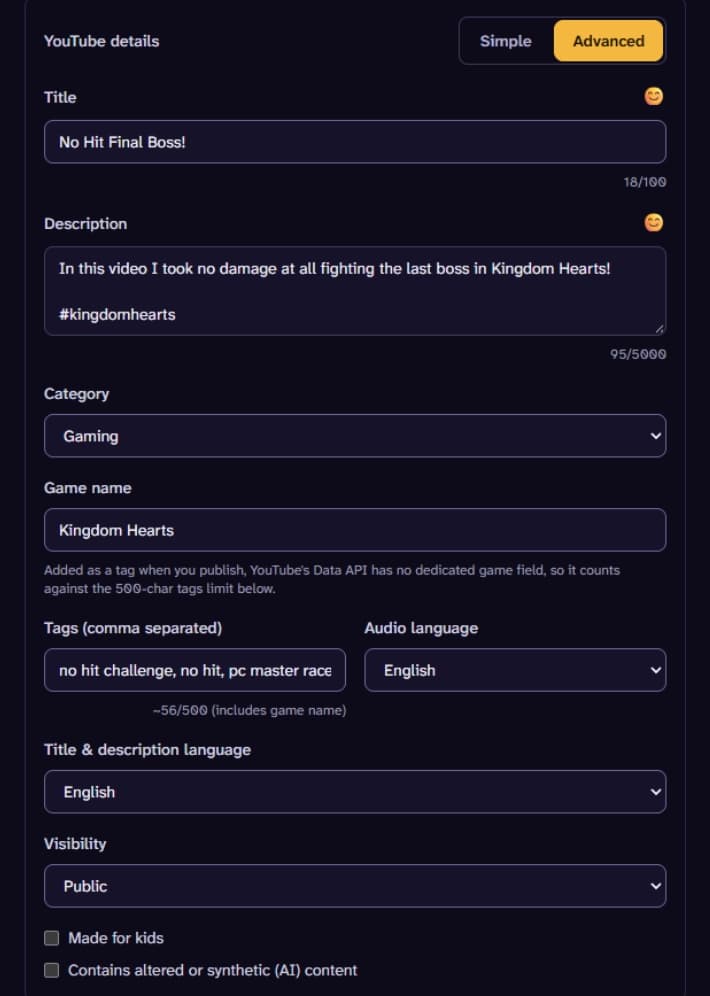
Our deepest integration. Most schedulers only upload the video. VScheduler lets you set everything around it too.

  • Native scheduled publish: upload once, YouTube itself flips it public at the time you set
  • Full metadata control: title, description, tags, category
  • Separate title/description language and spoken audio language, not the same field
  • Privacy, made-for-kids, and AI-generated content disclosure, all set correctly
  • Subtitles and playlist placement after upload
YouTube details in the composer: title, description, category, game name, tags, languages, visibility, and disclosure checkboxes.

TikTok

Direct Post scheduling, no manually uploading from your phone at the right time.

  • Schedule a video once and it posts itself
  • Caption written ahead of time, not typed in a rush
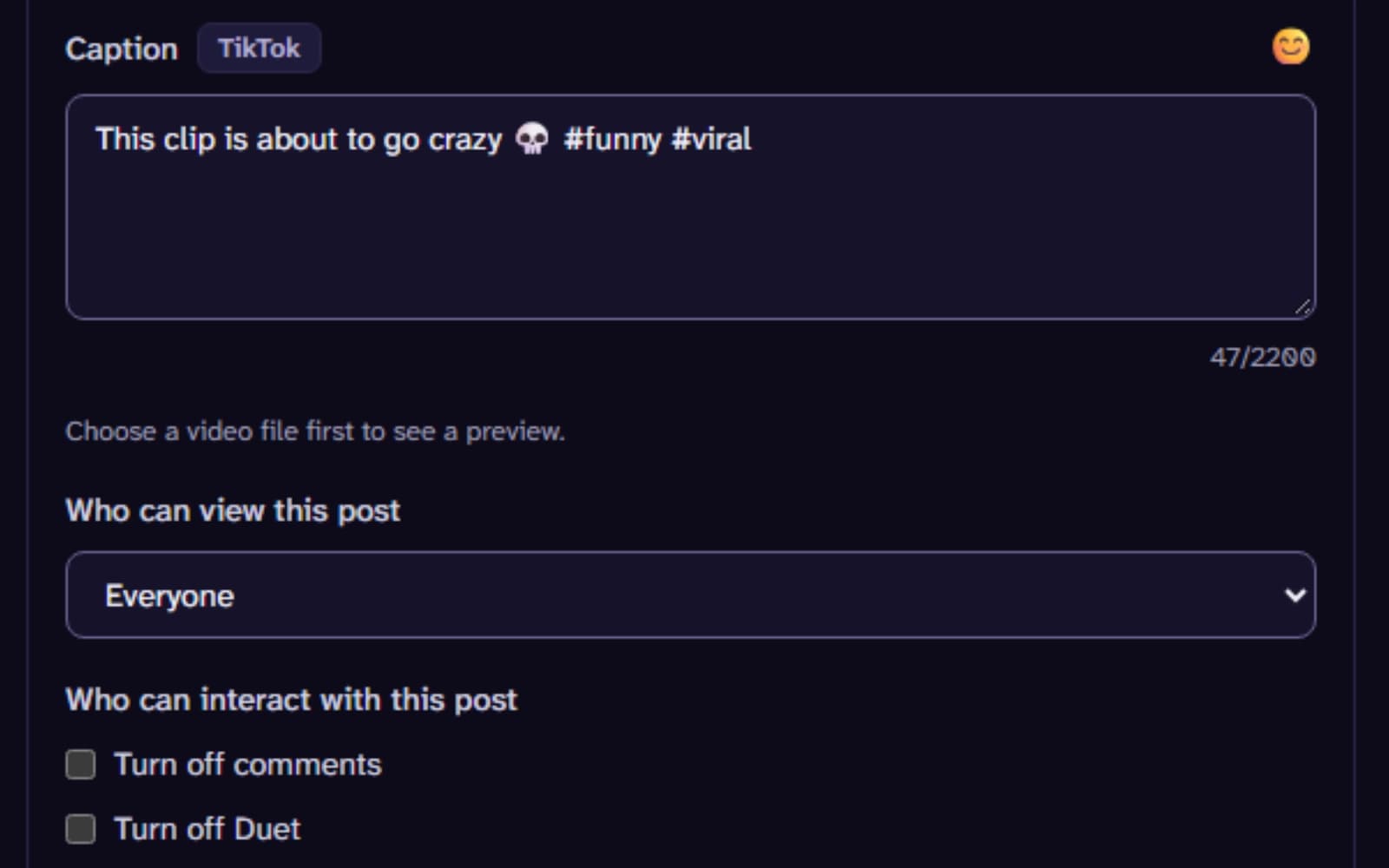
The composer's TikTok section: a caption, who can view the post, and switches to turn off comments and Duet.

Instagram Reels

Scheduled video publishing straight to a Business or Creator account.

  • Set it once and it goes out on schedule

X

Straightforward scheduled text posts.

  • Write it now, post it later

Bluesky

Free and open, no platform fee standing between you and posting.

  • Generous limits since it costs nothing to support

Threads

Same scheduling, same no-extra-cost approach as Bluesky.

  • Post on your schedule, not whenever you remember to open the app

Plan and collaborate

For solo creators and for teams and agencies managing more than one channel.
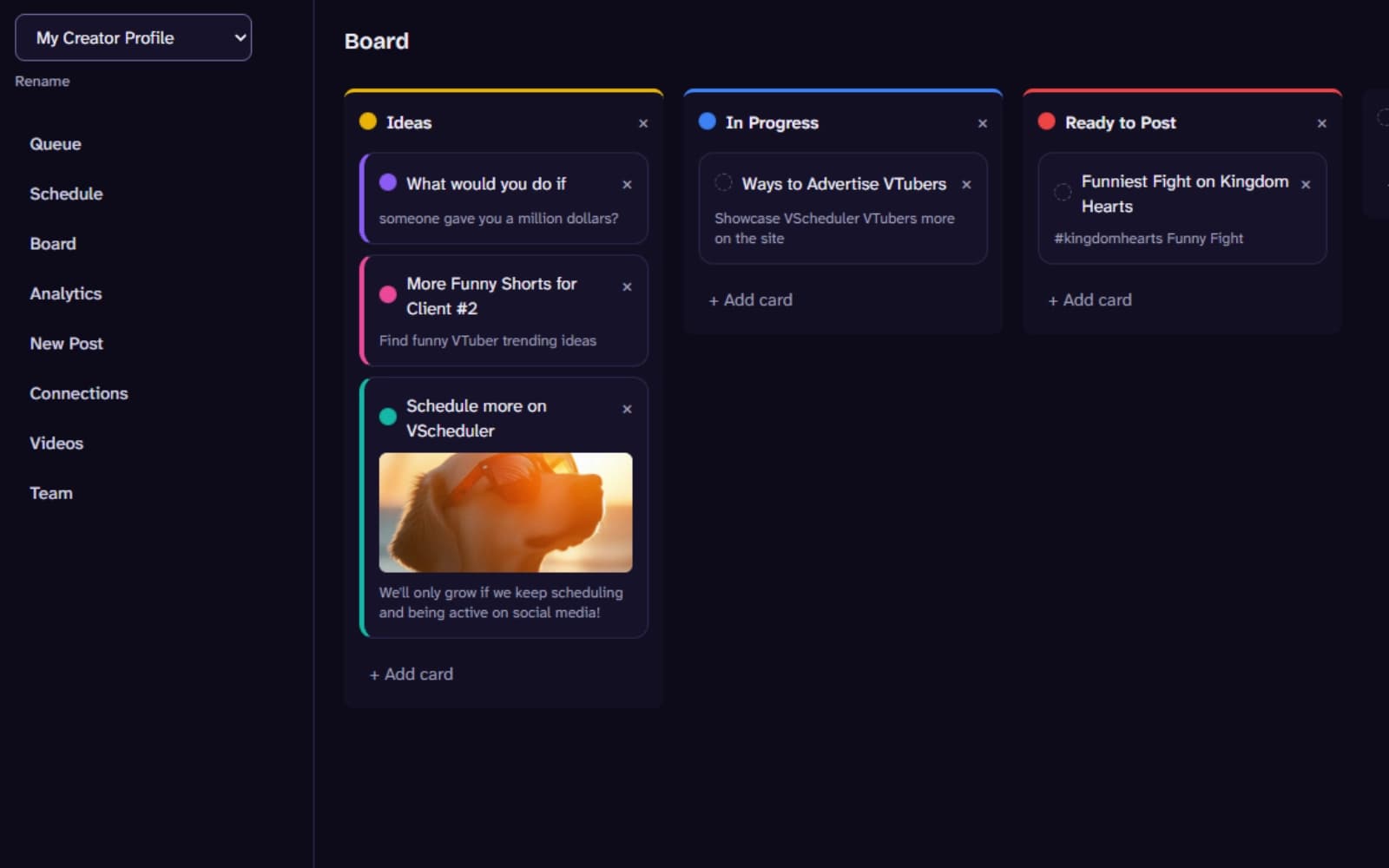
  • A kanban board to plan ideas before they're ever scheduled, drag straight from Idea to Posted
  • Invite your team with role-based access: Owner, Admin, Editor, Viewer
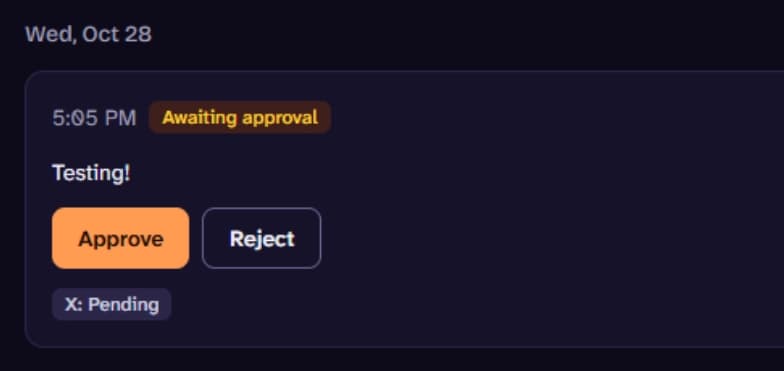
  • An editor's scheduled post waits for sign-off from an admin or owner before it goes out
  • Mark specific editors as trusted to skip that step, per channel, once you know their judgment
A post in the Queue awaiting approval, with Approve and Reject buttons.
The Board view with Ideas, In Progress, and Ready to Post columns of content cards.

Analytics

See which posts worked, and on which platforms.
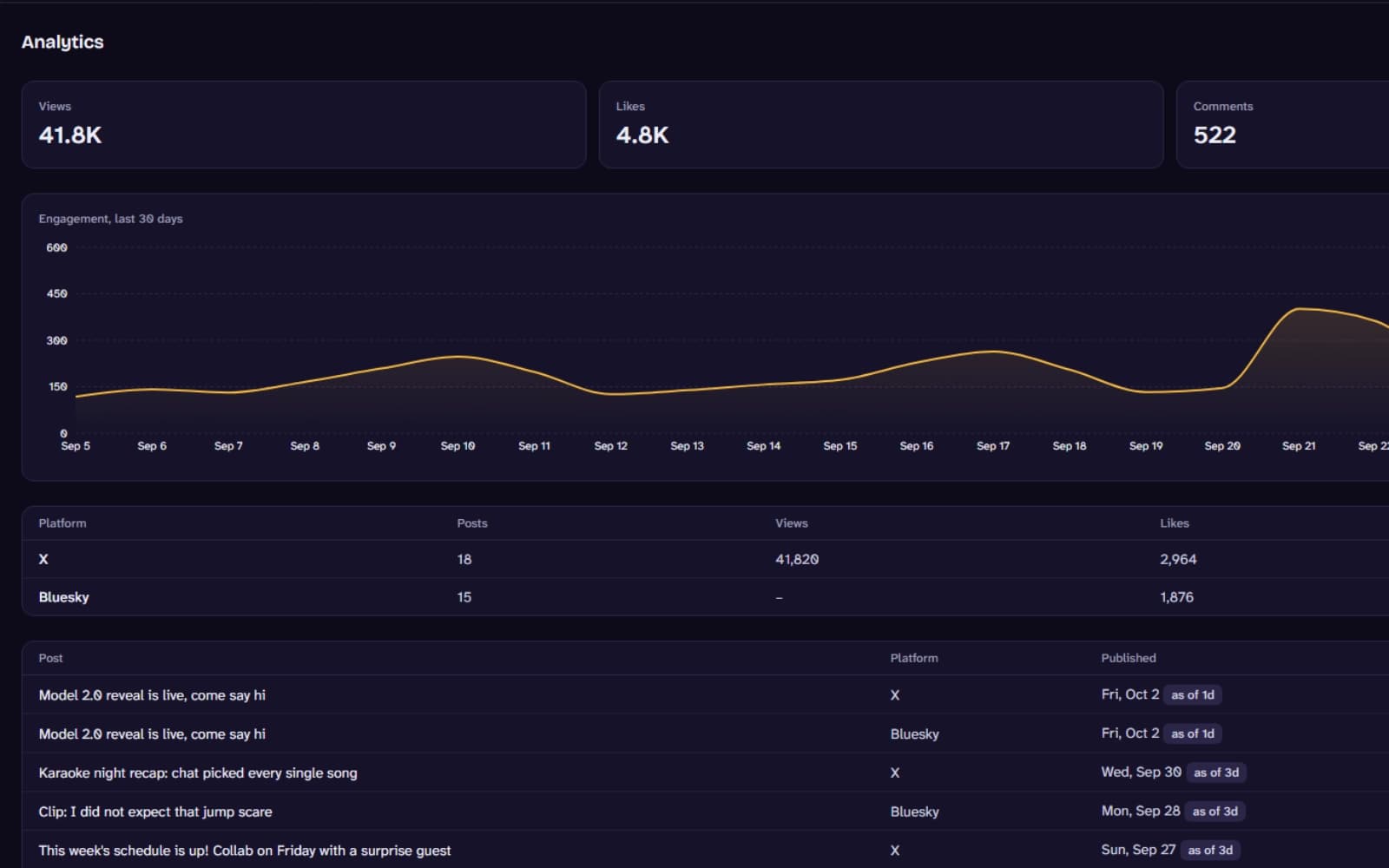
  • Views, likes, comments, and shares tracked automatically after a post goes live on X, Bluesky, or YouTube
  • An engagement trend across your whole channel, and a per-platform breakdown
The Analytics page with engagement totals, a 30-day engagement trend, and per-platform and per-post breakdowns.

Go-live automation

For VTubers: never forget to tell people you're live.
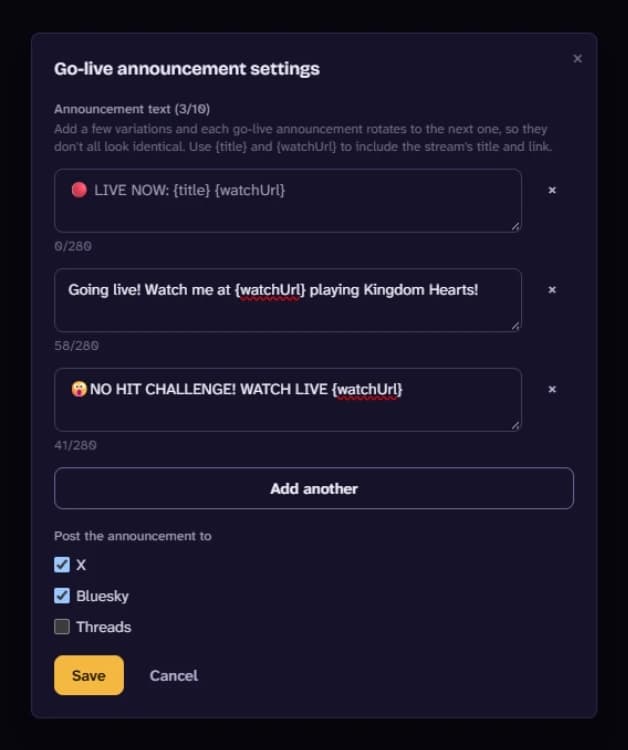
  • Opt-in YouTube live detection posts a "we're live" announcement to your other connected platforms the moment you go live
  • Write up to 10 announcement variations it rotates through so consecutive posts don't look identical, and choose exactly which platforms get them
Go-live announcement settings with three rotating announcement messages and the platforms they post to.

Security

Every account you connect is protected the same way.

  • OAuth tokens are encrypted before they're ever stored
  • Every workspace is isolated, your data is never visible to another account
  • Disconnecting a platform deletes its stored access immediately
Features | VScheduler